

Creative professionals are pushing the boundaries of what's possible with generative AI, but they need tools that match their workflow, not fight against it. If you're a developer working with digital artists, game designers, advertising creatives, or VFX artists, you've probably heard requests for "something that just works" or "can we make this less complicated?" The challenge isn't just accessing powerful AI models; it's building interfaces and workflows that creative teams can actually use to produce consistent, high-quality results.
Griptape Nodes addresses this challenge by providing a visual, node-based platform where creative professionals can orchestrate complex AI workflows without writing code. But here's where it gets interesting for developers: Griptape Nodes is designed to be extended. You can build custom nodes that integrate your team's specific tools, APIs, and creative processes, then package them into libraries that your creative colleagues can use immediately, or open source them for use by the wider Griptape Nodes Community.
Why Node-Based Development Matters for Creative Teams
Creative workflows are inherently visual and iterative. Artists often think in terms of inputs, transformations, and outputs. These concepts map naturally to node-based interfaces. When you build custom nodes for Griptape, you're not just creating another API wrapper. You're building visual components that creative professionals can drag, connect, and configure to solve real production challenges.
The platform handles the complex orchestration, parameter validation, and execution flow, while your custom nodes focus on the specific functionality your team needs. Whether that's integrating with proprietary rendering systems, connecting to specialized databases, or wrapping complex AI models with creative-friendly controls, Griptape Nodes provides the foundation for building tools that creative teams will actually adopt.
Understanding the Node Development Landscape
The Griptape Nodes development ecosystem centers around a comprehensive Node Development Guide that serves as both a reference and a tutorial. This guide covers everything from basic node architecture to advanced patterns for handling complex creative workflows. The documentation outlines three primary node types that cover most creative use cases: DataNode for processing and transforming content, ControlNode for managing execution flow, and SuccessFailureNode for handling operations that might fail gracefully.
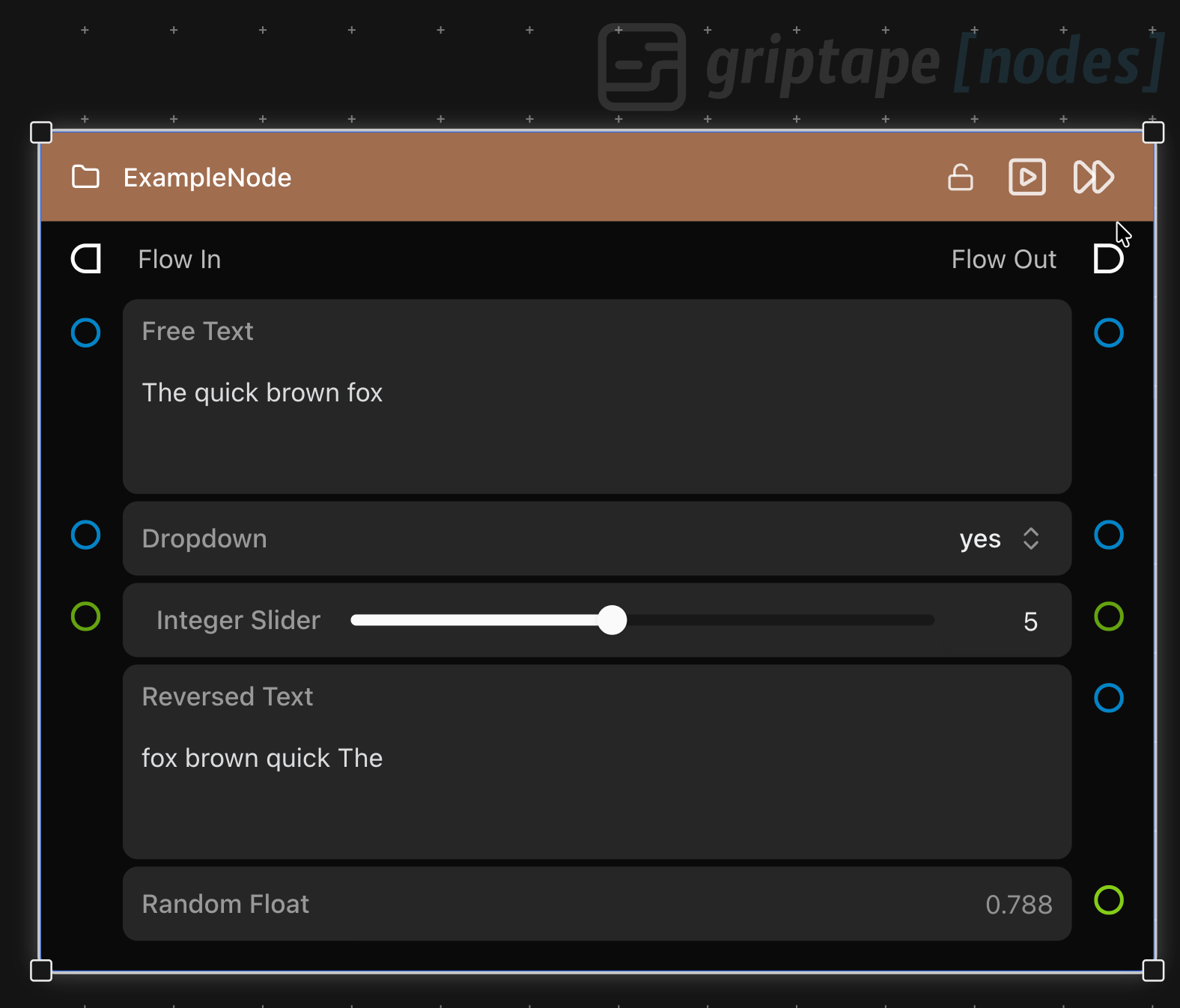
The development model is straightforward but powerful. Each node is a Python class that defines parameters (the connection points and UI elements users interact with) and a process method that contains the actual functionality. Parameters can serve multiple roles: they can be inputs that accept connections from other nodes, outputs that provide data to downstream nodes, or properties that users configure directly in the interface.
What makes this particularly valuable for creative applications is the parameter system's flexibility. You can create parameters that accept multiple input types, provide intelligent defaults, and include validation that gives users actionable feedback. The platform includes specialized parameter types for creative content like images, audio, video, and 3D assets, along with UI components like sliders, file pickers, and dropdown menus that make complex configurations approachable.
Leveraging AI-Powered Development Tools
Here's where modern development gets exciting: the Node Development Guide is specifically designed to work as context for AI-powered coding tools like Cursor, Claude Code, or GitHub Copilot. The guide includes detailed examples, common patterns, and comprehensive API documentation that these tools can use to generate functional node code.
When working with AI coding assistants, you can provide the Node Development Guide as context and describe the functionality you want to build. The AI can then generate node code that follows Griptape conventions, includes proper parameter definitions, and implements validation and error handling. This dramatically accelerates the development process, especially for developers who are new to the Griptape ecosystem.
For example, you might prompt an AI assistant with: "Using the Griptape Node Development Guide as context, create a node that takes an image input, applies a custom filter using our proprietary API, and outputs the processed image with metadata." The AI can generate a complete node implementation that includes proper parameter setup, API integration, error handling, and output formatting.
The guide's structure makes it particularly effective as context for AI coding tools like Cursor and Claude Code because it includes both conceptual explanations and concrete code examples. AI tools can understand not just the syntax but the patterns and best practices that make nodes work well in creative workflows.
Building Nodes That Creative Teams Love
Successful creative tools share common characteristics: they provide immediate visual feedback, offer granular control without overwhelming complexity, and integrate seamlessly into existing workflows. When developing nodes for creative teams, these principles translate into specific technical decisions.
Parameter design becomes crucial. Creative professionals need to see the effects of their changes immediately, so your nodes should provide real-time preview capabilities where possible. They also need fine-grained control over outputs, which means exposing the right level of detail in your parameter interfaces without creating cognitive overload.
Error handling takes on special importance in creative contexts. When a node fails, the error message should tell users exactly what to fix and how to fix it. Rather than technical error codes, provide actionable guidance like "Connect an image to the input parameter" or "API key not found - add your key in the Settings Menu API Keys & Secrets section."
The Node Development Guide emphasizes validation patterns that catch problems early and provide clear feedback. The validate_before_node_run method lets you check inputs and configuration before processing begins, preventing workflows from failing partway through complex operations.
Practical Development Patterns
The most effective custom nodes often follow established patterns that the development guide outlines in detail. For data processing nodes, the pattern typically involves parameter setup in the constructor, input validation in validate_before_node_run, and the core functionality in the process method. Output parameters are populated during processing, and the platform handles the UI updates automatically.
For nodes that integrate external APIs, the guide recommends using the SecretsManager for handling API keys and credentials. This keeps sensitive information out of workflows while making it easy for users to configure authentication. The secrets system integrates with the platform's configuration interface, so users can manage credentials in one place and reference them across multiple nodes.
Container parameters like ParameterList and ParameterDictionary are particularly useful for creative applications where users need to manage collections of assets or configuration options. These parameters provide intuitive UI for adding, removing, and reordering items while handling the underlying data management automatically.
Integration and Distribution
Once you've built custom nodes, the Griptape Nodes ecosystem makes it straightforward to package and distribute them. Node libraries are distributed as GitHub repositories with standardized structure and configuration files. It’s easy to create a directory where teams can discover and install libraries with just a few clicks, and this can be private or public like our own Griptape Nodes Directory.
This distribution model works particularly well for creative teams because it allows for both public libraries that serve broad use cases and private libraries that contain proprietary or specialized functionality. You can build nodes that integrate with your studio's specific tools and workflows, then share them across your organization without exposing sensitive implementation details.
The development guide includes detailed instructions for packaging libraries, managing dependencies, and handling updates. Because the platform manages the installation and configuration process, creative users can add new functionality to their workflows without dealing with environment setup or dependency conflicts.
Getting Started with Node Development
The fastest path to building effective nodes starts with understanding your creative team's specific pain points. What manual processes are they repeating? What external tools do they wish they could integrate? What AI models or services would be valuable if they were easier to use?
Start with the Node Development Guide as your foundation, then use it as context with your preferred AI coding assistant to accelerate development. Begin with simple DataNode implementations that solve specific problems, then expand to more complex patterns as you become familiar with the platform's capabilities.
The development workflow itself is designed for rapid iteration. You can test nodes immediately within Griptape Nodes, validate that the UI behaves correctly, and refine the functionality based on direct feedback from creative users. This tight feedback loop helps ensure that your custom nodes actually solve real problems rather than just demonstrating technical capabilities.
Building the Future of Creative AI Tools
The creative industry is in the middle of a fundamental shift toward AI-augmented workflows, but the tools that succeed will be those that understand how creative professionals actually work. By building custom nodes for Griptape, you're not just creating technical integrations—you're building the interface between cutting-edge AI capabilities and practical creative production.
The combination of visual workflow design, comprehensive development tools, and AI-assisted coding creates an opportunity to build creative tools faster and more effectively than ever before. Your custom nodes can bridge the gap between powerful AI models and the specific needs of your creative team, providing the control and flexibility that professional workflows demand.
Ready to start building the creative AI tools your team actually wants? Sign up for Griptape Nodes at https://www.griptapenodes.com, explore the Node Development Getting Started Documentation, and discover existing libraries in the Griptape Nodes Directory. With comprehensive documentation designed for AI-assisted development and a platform built for creative workflows, you can move from concept to production-ready tools faster than you might expect.
If you have any questions, or you need help getting started, please join us on the Griptape Discord, and we will be happy to help you build.